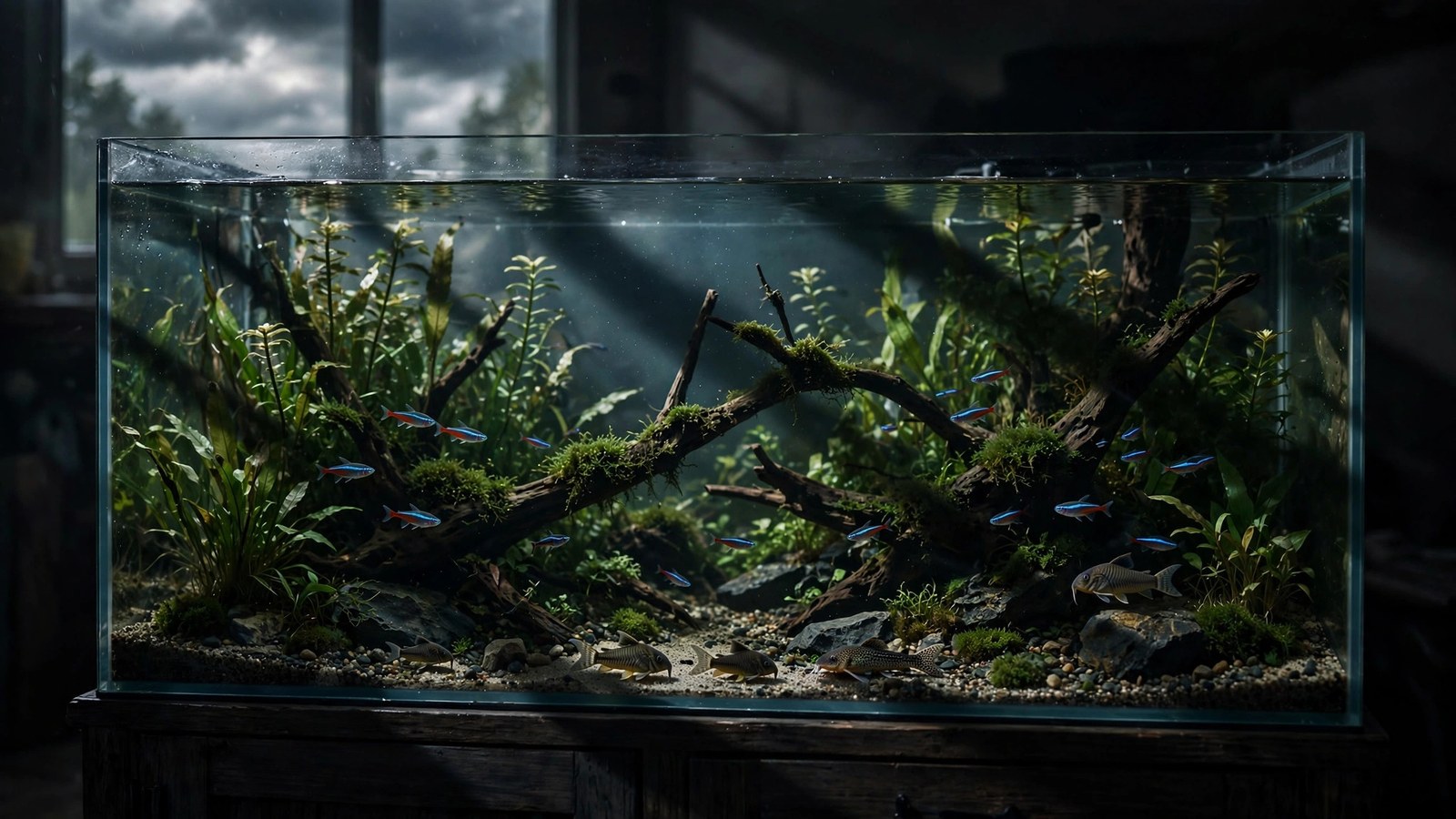
Your new LED light has a button labeled "storm," and pressing it sends your aquarium into a miniature thunderstorm — the room goes dark, jagged flashes of white light strobe across the glass, and if your controller app plays sound, a low roll of thunder follows. It looks spectacular. But before you make it a nightly ritual, it is worth asking what aquarium LED storm mode actually does to the living things inside the tank. Here is how these weather-simulation features work, what lightning flashes do to fish and shrimp, whether plants care at all, and a safe-use playbook for enjoying the drama.
What Aquarium LED Storm Mode Actually Is
Storm mode is a programmed lighting effect built into many app-controlled LED fixtures and smart controllers. Rather than holding a steady output, the controller fires off rapid, irregular pulses of near-full-intensity white or blue-white light — the "lightning" — against a dimmed or dark background. Some controllers pair the flashes with recorded thunder through your phone or a Bluetooth speaker; others flash silently.
The feature exists for the viewer, not the aquarium. The official Fluval AquaSky manual lists "cloud cover, fading lunar, storm and lightning" among its programmable effects, and JBL's LED Solar control app ships themed programmes with thunderstorms, clouds, and lightning. Feature sets vary widely between brands, so check your own fixture's documentation before expecting any of these.
Most implementations share the same ingredients: a brief dimming of the normal light, a burst of randomized flashes lasting anywhere from a few seconds to several minutes, and then a return to the normal schedule.
Cloud Mode, Dimming, and the Other Weather Simulations
Storm mode gets the headlines, but weather simulation usually ships with gentler siblings. Understanding each one helps you decide what to use daily and what to save for special occasions.
Cloud mode
Cloud mode creates slow waves of dimming that drift across the tank, like clouds passing over the sun. Some controllers let you set cloud intensity and movement separately, from light wispy cover to deep, slow overcast. The light ramps down smoothly, holds, and ramps back up — no flashing involved.
Lightning-only flashes
Some controllers offer brief strobes without the prolonged dimming sequence — a few flashes over ten seconds that read as "distant lightning" rather than a full storm.
Thunderstorm combo
The full combo layers cloud dimming, lightning flashes, and sometimes synchronized audio. This is the most dramatic mode — and the one to use most carefully.
Lunar and fade modes
Not strictly weather, but related: "fading lunar" moonlight settings and sunrise/sunset ramps are the calm, sensible cousins of storm mode — sunrise and sunset ramping and dim moonlight settings you can run every day without a second thought.
Do Lightning Flashes Stress Fish?
The honest answer: it depends on the fish, the intensity, and the timing — but most hobbyists report that brief, occasional storms do not cause lasting problems for healthy, settled fish.
How fish perceive sudden bright flashes
Fish have evolved to react to sudden changes in light — in the wild, a shadow over the water often means a predator. Most hobbyists report that a lightning burst makes skittish fish dart or freeze for a moment, then resume normal behavior within seconds to minutes once the flashes stop.
The riskiest scenario is flashing after lights-out. Fish that have settled for the night — colors faded, resting near the substrate or tucked into plants — startle far harder than awake fish, and many keepers have learned this the hard way by showing off a demo storm late at night.
Species that tend to react the most
Standard hobby knowledge holds that naturally skittish species react more strongly: hatchetfish, many small tetras, and newly introduced fish that have not yet settled in. Bottom-dwellers that rely on the substrate for cover, like corydoras and loaches, often retreat to hiding spots during flashes and come back out shortly after. Bold, long-settled fish — adult cichlids, large barbs, mature gouramis — often ignore the whole show entirely.
The riskiest cases are fish already under pressure: recent additions, fish recovering from illness, bare quarantine tanks, and breeding pairs guarding eggs or fry. Skip the theatrics for these tanks until things are stable.
Shrimp, snails, and other invertebrates
Most hobbyists report that shrimp and snails appear largely unbothered by lightning flashes. Cherry shrimp and Amanos generally keep grazing through a storm, and snails carry on at their own pace. If your tank is shrimp-heavy, storm mode is the least of your worries.
What About the Plants?
Plants are wonderfully indifferent to weather theatrics. A few minutes of flashing light does not meaningfully change the total light energy your plants receive over the day, and it does not trigger or prevent algae on its own — algae is driven by the balance of light, nutrients, and CO2 over days and weeks, a topic covered in our guide to signs your tank is getting too much light, not by a five-minute storm.
Cloud mode is the only weather feature that interacts with plant growth at all, and the interaction is simple: sustained dimming slightly reduces your daily light total. If cloud dimming runs for an hour or two within an already adequate daily light schedule, the effect is negligible for most plants — a gentle dip in an otherwise strong photoperiod, not unlike real overcast weather.
One practical note: treat long, deep cloud dimming as part of your photoperiod math, not a bonus. If your plants are thriving, a daily cloud interlude is fine; if growth is marginal, fix your baseline intensity first.
Safe-Use Playbook for Weather Modes
Follow this checklist and the drama stays on the viewing side of the glass:
- Storm during the day, never after lights-out. Run lightning while the tank's normal lights are on or ramping down, when fish are awake and alert. Flashing into a dark, sleeping tank is the single biggest trigger for panicked darting.
- Keep storms short and infrequent. One to three minutes, once or twice a week at most, is plenty of theater — this is a special effect, not a lighting programme.
- Turn down the flash intensity if your controller allows it. Many apps let you cap storm flashes at 50–70% of maximum output. The effect still reads as lightning; it just stops short of a full blast.
- Give skittish tanks a pass. Newly stocked tanks, quarantine setups, breeding tanks, and tanks with known jumpers should sit out. Wait until the fish are settled and confident — usually a few weeks.
- Make sure the lid is on. Startled fish jump. A tight-fitting lid or cover is the cheapest insurance against a lightning demo turning into a floor rescue.
- Provide cover. Plants, hardscape, and hides give fish somewhere to retreat, which is the difference between a momentary startle and sustained panic.
- Use cloud mode freely, storm mode sparingly. Cloud dimming is gentle enough to run daily as part of your schedule — some keepers leave it on as their default. Lightning is the one to ration.
- Watch the first run. Trigger a short storm while you observe. If fish freeze briefly and resume normal behavior, your settings are fine. If anyone is still hiding an hour later, shorten the effect, dim the flashes, or retire it for that tank.
Sensible Starting Settings
Most controller apps expose the same handful of dials. A conservative starting point that most hobbyists find works well:
- Storm duration: 1–3 minutes per event.
- Flash intensity: 50–70% of the fixture's maximum, not 100%.
- Flash frequency: medium or low, not the most aggressive strobe setting.
- Frequency of events: manual trigger only, or at most one to two scheduled events per week during the daytime photoperiod.
- Cloud mode: 20–40% dimming depth, free-running daily within your normal schedule is fine — think of it as scheduled overcast.
- Thunder audio: optional and modest — the sound is for you, so do not crank it.
Pair these with a solid baseline programme: a consistent daily photoperiod with gentle ramps at either end. The weather effects sit on top of a stable routine — they should never be the routine.
Weather Modes Compared
| Mode | What it looks like | Fish-stress risk | Effect on plants | Best used for |
|---|---|---|---|---|
| Storm / lightning | Irregular bright flashes over dimmed light, sometimes with thunder audio | Moderate — brief startle common; risky after lights-out or for new/stressed fish | Negligible — too brief to change daily light totals | Occasional demos and wow factor, daytime only |
| Cloud / dimming | Slow waves of dimming, like passing clouds | Very low — gradual changes do not startle | Slight reduction in daily light if deep and long; neutral at moderate levels | Daily use within your schedule for a natural, varied look |
| Off (steady schedule) | Consistent output with sunrise/sunset ramps | Lowest — maximum predictability | Best growth — full, predictable photoperiod | The default for plant growth, breeding, and sensitive livestock |
Frequently Asked Questions
Do aquarium LED storm modes stress fish?
Most hobbyists report that brief, occasional storms cause only a momentary startle in healthy, settled fish, with normal behavior resuming within minutes. The risk rises significantly when storms fire after lights-out, run long, or hit tanks with new, sick, or breeding fish. Keep flashes short, daytime-only, and at reduced intensity, and watch your fish during the first run to gauge their reaction.
Can lightning mode harm shrimp or snails?
No — standard hobby experience holds that shrimp and snails are essentially unfazed by lightning flashes. Cherry shrimp, Amano shrimp, and common snails typically continue feeding and moving through a storm without any visible reaction. If your tank is invertebrate-heavy, storm mode is a low-risk feature to enjoy, though the usual advice about short, infrequent sessions still applies for any fish sharing the tank.
Will cloud mode slow down my plant growth?
Only if it is deep and long enough to meaningfully cut your daily light total. Moderate cloud dimming for an hour or two within an otherwise adequate photoperiod has a negligible effect — plants evolved under real overcast skies. If your plants are already thriving, daily cloud simulation is fine; if growth is marginal, strengthen your baseline lighting before adding dimming features.
Is it okay to run storm mode every day?
Not recommended. Daily lightning subjects fish to repeated startle events for no benefit to the tank. Treat storm mode as a special effect: once or twice a week, a few minutes at a time. Cloud dimming, by contrast, is gentle enough to run daily as part of your normal schedule.
Should I use storm mode at night after lights-out?
No. This is the single most common way a harmless feature becomes a stressful one. Fish resting in darkness startle far harder than awake fish, and panicked darting in the dark risks injury against glass and hardscape. Always run lightning during the daytime photoperiod or during the evening ramp-down, and keep a tight-fitting lid on whenever you trigger a storm.
My light has a thunderstorm button — how long should one storm last?
One to three minutes is plenty. Most controllers default to short bursts, and extending the effect adds stress risk without adding visual payoff — after the first minute, viewers have seen the whole show. If your app allows configuration, cap flash intensity at 50–70% of maximum and choose a moderate flash rate rather than the most aggressive strobe.
Storms Are for You, Not Your Fish
Weather-simulation modes are one of the most delightful features modern aquarium LEDs offer — few things impress guests like a thunderstorm rolling across a planted tank. The key insight: these modes exist for the viewer. Plants are indifferent, shrimp barely notice, and fish tolerate them best when they are short, daytime-only, and infrequent. Programme a solid, predictable baseline schedule first — consistent photoperiod, gentle ramps, maybe a daily drift of cloud cover — and let lightning be the occasional punctuation mark.