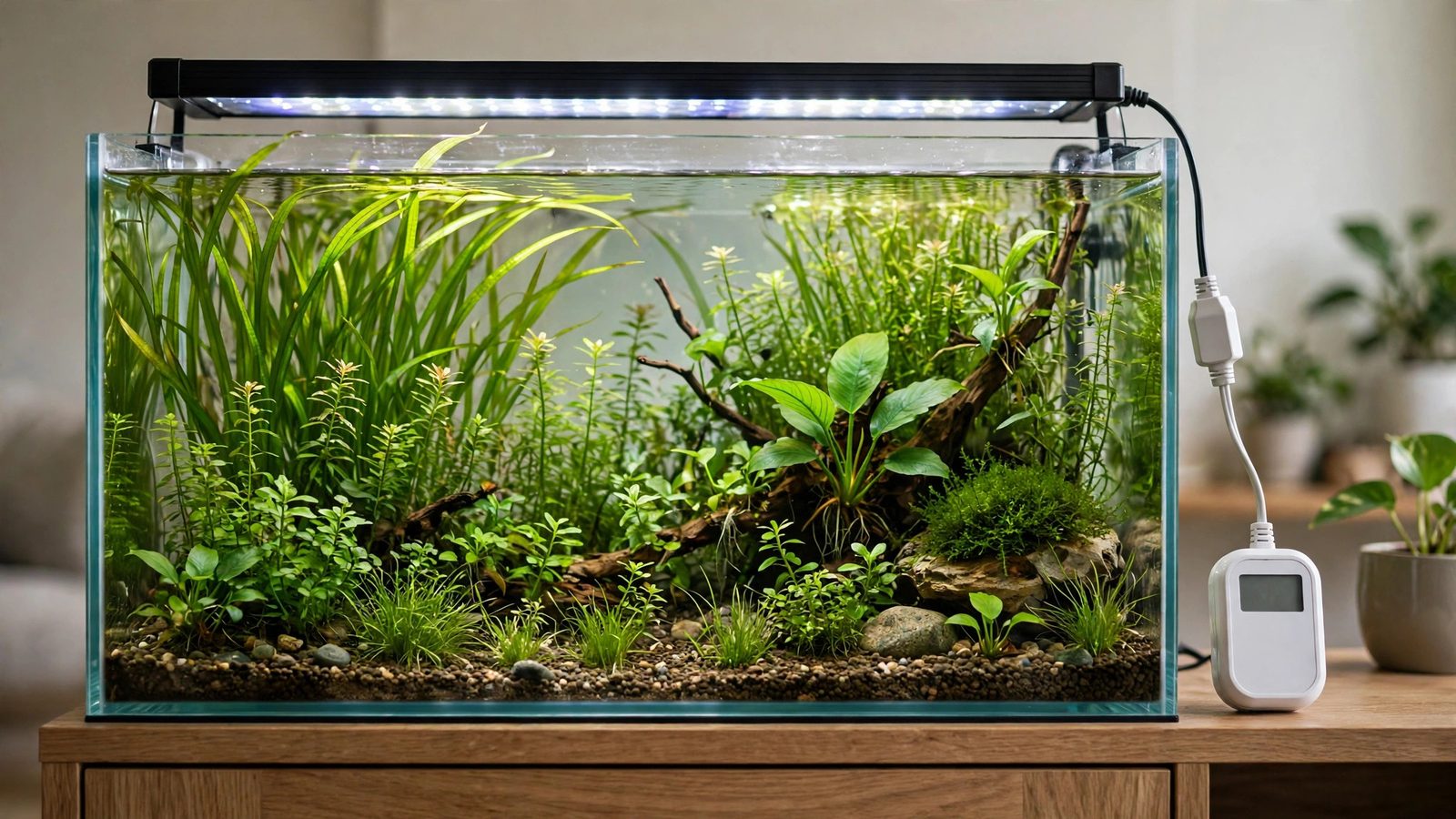
If you ask experienced planted-tank keepers for the cheapest upgrade that changed their results, many will not name a fancy LED or CO2 cylinder. They will name an aquarium light timer — a simple plug that turns the lights on and off at the same times every day. It costs about fifteen dollars, takes two minutes to set, and removes the biggest variable in algae outbreaks: the human in charge of the light switch.
Plants and algae respond to the same signals — light duration, intensity, and consistency — but they respond to chaos very differently. Plants adjust slowly over days; algae capitalize on irregularity within hours. A timer gives your plants the boring, predictable schedule they need and denies algae the inconsistent photoperiod it thrives on. This guide covers why timers beat manual switching, the timer types available, how to dial in the right photoperiod, how to synchronize CO2 with your light schedule, and how to troubleshoot common timer failures.
Why Consistency Beats Intensity in a Planted Tank
Beginners obsess over how much light their tank gets. Veterans obsess over how consistent it gets. The reason is biological: aquarium plants regulate their photosynthesis on a circadian rhythm — enzymes that capture CO2 and shuttle sugars ramp up in anticipation of "morning" and wind down before "night." When lights fire at the same times daily, plants run this cycle at full efficiency.
Algae, meanwhile, are opportunists. Most common tank algae — hair algae, green dust algae, diatoms, staghorn — reproduce explosively and can ramp photosynthesis up within minutes of light appearing. Every late night you forget to switch the light off, every "just this once" extended evening — each is an irregular pulse of energy your slow-adapting plants cannot fully use but your fast-adapting algae absolutely can.
This is why getting the photoperiod duration right matters less than people think, while getting it consistent matters more. A stable 8-hour photoperiod beats a 6-to-12-hour photoperiod that changes daily. Pair your timer with the light acclimation routine for new tanks and you will sidestep most new-tank algae blooms.
The 18-Hour Horror Story: A Cautionary Tale From the Forums
On UKAPS — the UK's long-running planted-tank forum — a cautionary thread documents a classic case: after a power cut, a member reprogrammed their timer incorrectly and their lights ran an 18-hour photoperiod for several days before they noticed. Nothing else changed: same dosing, same CO2, same water changes. The result was a spectacular algae explosion — thread algae draped over every stem plant, a green film over the glass, clogged filter floss.
What makes the story instructive is the speed of the collapse: within roughly three days, a previously balanced tank was unrecognizable. That is the timescale on which photoperiod mistakes punish you. The fix: correct the timer, shorten the photoperiod to 6 hours temporarily, do two large water changes — recovered within a couple of weeks.
The keeper was experienced and still got caught, because timer menus are easy to get wrong. If the classic signs of too much light appear overnight, check your timer first — before fertilizer or CO2. Misprogrammed timers are one of the most common hidden causes of sudden algae.
Manual Switching vs. an Aquarium Light Timer: An Honest Comparison
Some hobbyists insist manual switching is fine if you are disciplined. Technically, yes; practically, they are describing a failure mode:
| Factor | Manual switching | Aquarium light timer |
|---|---|---|
| Consistency | Drifts by minutes to hours; collapses on travel, illness, busy weeks | Exact to the minute, every day, indefinitely |
| Weekend behavior | Lights stay on longer because you are home | Unchanged — plants do not know it is Saturday |
| Travel | Light on 24/7 or tank goes dark for a week | Normal schedule continues automatically |
| CO2 synchronization | Requires you to be present for solenoid on/off too | Light and solenoid timers lock into a fixed sequence |
| Cost | Free | ~$10–25 |
| Failure modes | Forgetting, irregularity | Drift, power-cut resets, wrong programming |
The manual approach has one genuine advantage: flexibility. But that flexibility is exactly the algae lever — every exception you grant yourself is an exception your algae grants itself too, and it cashes them in faster than your plants do. The timer's rigidity is not a limitation; it is the feature.
One more honest point: a timer will not save a tank that is fundamentally over-lit. If your LED is blasting far more PAR than your plants and CO2 can use, even a perfectly consistent 8 hours will grow algae. Consistency multiplies a sane baseline — if your light is simply too strong, intensity is your problem, not timing.
Types of Aquarium Light Timers (and Which One to Buy)
Four options cover essentially the whole market. They differ in price and precision — but for switching a light on and off at fixed times, even the cheapest works fine.
Mechanical plug-in timers
The classic: a plug with a rotating dial and small pins you push down to mark "on" hours. They cost roughly $8–12, switch in 15- or 30-minute increments, and click audibly when switching. Pros: dead simple, no programming menus, no Wi-Fi. Cons: 15-minute precision (fine for aquariums) and fiddly pins. The workhorse choice — for most tanks, all you will ever need.
Digital plug-in timers
Digital timers ($12–20) give minute-level precision, multiple on/off programs per day, and a display. This matters if you want a split photoperiod — 4 hours in the morning plus 4 hours in the evening with a dark midday break (the "siesta" approach some keepers use to suppress algae). Pros: precise, flexible. Cons: menu-driven programming is error-prone (remember the UKAPS 18-hour story — that was a digital timer), and many lose clock settings in a power cut unless they have battery backup.
Smart plugs and app-controlled timers
Wi-Fi smart plugs ($15–25) are programmed from a phone app, with remote adjustment and visible on/off state. Pros: easiest programming by far. Cons: they depend on your router and the vendor's cloud — check that yours stores the schedule locally so it survives internet outages.
Built-in light controllers and dimmers
Many modern LED fixtures have scheduling built in, often with sunrise/sunset ramping — the light fades up over 15–30 minutes instead of snapping on. A gradual dawn is gentler on fish and avoids light shock. If your light has this, you may not need a plug timer at all — but verify the schedule survives power cuts. Caution: do not stack a plug timer on top of built-in scheduling — conflicting schedules cause exactly the chaos you are trying to eliminate.
Bottom-line recommendation: for a standard on/off LED with no built-in scheduling, buy a digital plug timer with battery backup (or a mechanical timer for bulletproof simplicity). Do not overthink this — a $15 timer correctly programmed outperforms a $50 one programmed wrong.
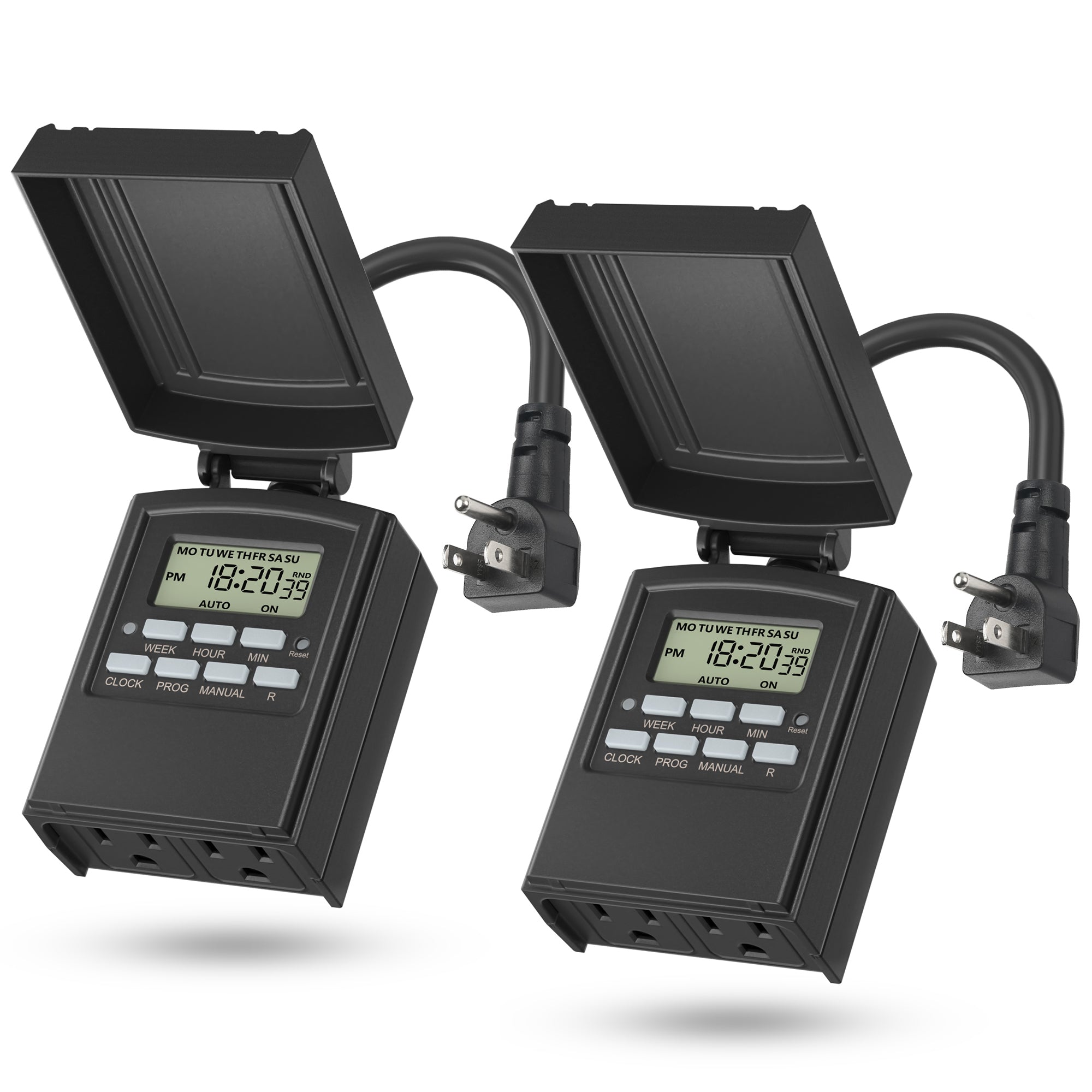
The workhorse pick for most tanks is a simple 7-day digital timer: BN-LINK 7-day programmable timer.
A second outlet handles the CO2 solenoid on the same schedule: BN-LINK digital outlet timer.
 ★4.4
BN-LINK Digital Outlet Timer
Check Price on Amazon ★4.4Setting the Right Photoperiod on Your Timer
The timer's schedule should match your tank's maturity, light intensity, and your viewing habits. Reliable rules:
- New tanks (first 4–8 weeks): 6 hours. Young plants and maturing biofiltration cannot use more; lengthen by 30 minutes every week or two once plants are visibly growing.
- Established low-tech tanks: 7–8 hours. Without injected CO2, plants grow slowly and cannot use long photoperiods productively.
- Established high-tech (CO2-injected) tanks: 8–10 hours. Start at 8 and extend only if plants are thriving and algae is absent.
- Never exceed 10–12 hours. Beyond this you gain almost no additional growth and hand algae a massive advantage.
Two subtleties matter. First, align the photoperiod with your viewing schedule, not some abstract ideal. If you leave at 8 AM and return at 6 PM, set lights from 2 PM to 10 PM. The plants do not care what the wall clock says — they only care about consistency.
Second, beware ambient room light. A timer controls the aquarium light, but if the tank sits in a bright sunlit room, window sunlight is effectively an extra, uncontrolled photoperiod — intense, unfiltered, and algae-friendly. Shade the tank or count those ambient hours into your total.
Synchronizing CO2 With Your Aquarium Light Timer
If you run pressurized CO2, the timer setup doubles in importance: now you are orchestrating two devices on a shared clock. The correct sequence is:
- CO2 turns ON 1–2 hours before lights. It takes time to dissolve and build up to target levels (~30 ppm), so start early and the water is already saturated when plants "wake up."
- CO2 turns OFF about 1 hour before lights go off. Plants stop using CO2 when the light fades; injecting into the dark wastes gas and depresses pH overnight for no reason.
- Both stay OFF all night. Plants respire at night, consuming oxygen — adding CO2 on top is pointless and potentially dangerous to fish.
Practically, this means two timers (or one digital timer with two programs, or a smart-plug pair): a light timer and a CO2 solenoid timer setup. Program it so its window wraps the light window with the offsets above.
For the full science of these offsets, see our CO2 timing and light schedule guide. And remember the safety rule: CO2 always shuts off at night — the CO2 at night shutoff guide explains the pH and livestock risks.
One failure mode unique to CO2 setups: the solenoid timer and light timer drifting apart over months. Check both against your phone clock every month or two during water changes — thirty seconds of verification prevents a month of mysterious algae.
Troubleshooting: When Timers Fail
Timers are simple, but they fail in predictable ways:
Timer drift. Mechanical timers use a small synchronous motor whose speed depends on mains frequency, which is not perfectly constant — over months, they can drift several minutes. Digital and smart timers use quartz clocks and drift far less. Reset the timer to the correct time if lights start switching early or late; normal maintenance, not a defect.
Power cuts and wrong resets. This is the big one — the root cause of the UKAPS 18-hour disaster. Many cheap digital timers lose their clock or program in a power cut, then resume from a wrong time or a factory default. Buy timers with battery backup for the clock, or check the timer's clock after every outage. Make it a reflex: power cut → verify both timers when power returns.
Daylight saving confusion. Timers do not know about daylight saving time — shift the timer manually twice a year, or leave the tank on standard time year-round (the plants genuinely do not care).
Stuck relays and worn pins. Mechanical timers can develop sticky relays; the symptom is lights staying on past the scheduled off time. If you find the lights on at 3 AM, inspect the timer before assuming misprogramming. Replace mechanical timers every few years as cheap insurance.
Conflicting schedules. Never stack a plug timer on a light with built-in scheduling, or run a "vacation mode" app schedule on top of a plug timer. One device owns the schedule: exactly one timer controls the lights, exactly one controls the solenoid.
Finally, make the timer check part of your algae triage routine. When algae appears, verify the timer before reaching for fertilizer changes or new lights — it takes ten seconds, and misprogrammed or drifted timers are behind a large share of "sudden, unexplained" outbreaks. Also confirm the plants get a proper dark period; our article on whether aquarium plants need darkness explains why the night half matters too.
Frequently Asked Questions
How many hours should my aquarium light timer be set for?
For a new tank, start at 6 hours per day and increase by 30 minutes every week or two as plants establish. Established low-tech tanks do well at 7–8 hours; CO2-injected high-tech tanks can run 8–10 hours. Never exceed about 12 hours — beyond that you gain negligible plant growth while giving algae a huge advantage. Consistency matters more than the exact number.
Can I just use a regular household timer instead of an aquarium-specific one?
Yes — a standard hardware-store plug-in timer works exactly the same as one marketed for aquariums. There is nothing aquarium-specific about switching a light on and off. The only specs that matter are the load rating (must exceed your light's wattage) and, for digital models, whether the clock has battery backup to survive power cuts.
Should my CO2 turn on and off at the same time as my lights?
No — offset them. Set CO2 to start 1–2 hours before lights on (so dissolved CO2 is at target levels when photosynthesis begins) and to stop about 1 hour before lights off. Both stay off all night. Use a separate timer or program for the solenoid — this sequencing is one of the most impactful optimizations in a CO2-injected tank.
Do plants really need the light schedule to be identical every day?
Essentially, yes. Plants run on circadian rhythms that tune their photosynthetic machinery to an expected schedule; irregular light wastes their adaptive capacity. Algae, by contrast, respond to light pulses within minutes. So irregularity hurts plants while barely slowing algae — which is exactly why manual switching and drifted timers cause disproportionate algae problems.
Is a split photoperiod (morning + evening with a midday break) better than one continuous block?
It can help in algae-prone tanks — the midday dark period interrupts algae's continuous photosynthesis while mature plants tolerate it fine. A digital timer with two daily programs makes it easy. Treat it as a tool for stubborn algae, not a requirement; a single consistent block works perfectly for most tanks.
Why did my timer stop keeping the right time after a power cut?
Most cheap digital timers lose their clock setting when power is interrupted unless they have battery backup. When power returns, they resume from the wrong time or a default program — exactly how accidental 18-hour photoperiods happen. After any outage, verify your timer's clock and program. Consider a model with battery-backed clock memory to eliminate the problem.
The $15 Verdict
An aquarium light timer is the rare piece of equipment with no real downside: it costs less than a bottle of fertilizer, installs in minutes, and quietly enforces the single habit — absolute photoperiod consistency — that separates stable, algae-free tanks from chaotic ones. It protects your tank when you travel, when you forget, and when life gets busy, and it is the foundation that makes every other optimization (CO2 timing, intensity tuning, dosing) actually work.
So buy the timer, program it carefully (not in thirty rushed seconds), verify it after every power cut, and sync your CO2 solenoid to it if you inject. Your plants will run their days like clockwork — because, finally, they will be. For more on dialing in the rest of your setup, explore our complete aquarium light schedule guide.
For background on how aquatic plants use light at a physiological level, Tropica's aquarium lighting guide is an excellent reference from one of the industry's most respected plant growers.